IMAGE3D · WORKFLOW GUIDE
Image3D Worked Examples
Inspect real source images and interactive model results. These examples document digital workflows, not unverified customer outcomes.
From a helmet image to a model inspection
The same helmet reference makes it easier to compare silhouette and surface detail than a general claim that one model is better. This is an Image3D demonstration, not a customer testimonial or a verified physical print. Open the full worked example →
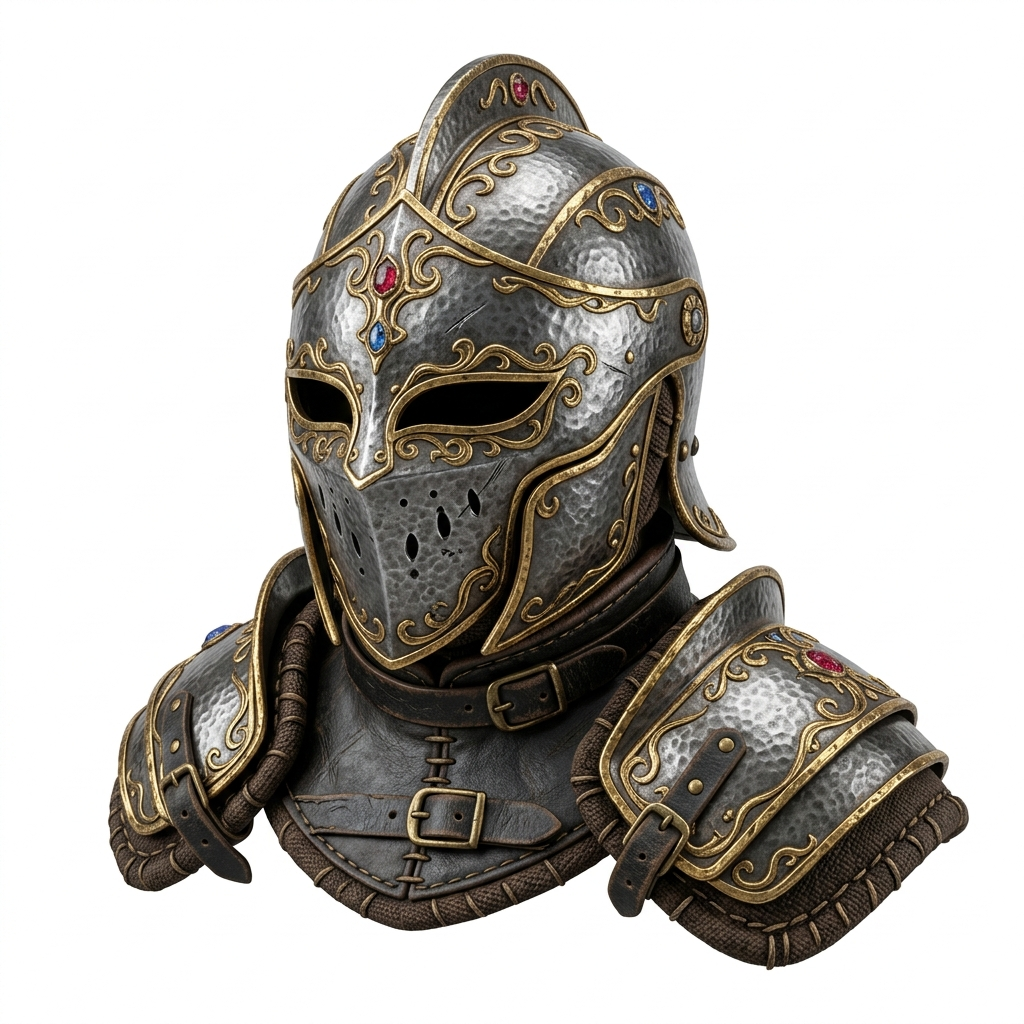
Question → workflow → observable result
Question: does the generated mesh preserve the helmet's distinctive edges and openings? Workflow: use one reference, generate an output, then compare different angles in the viewer. Result you can inspect: the interactive model above. No success rate, printing outcome or customer revenue is inferred from this result.
For a same-input comparison with other options, open the homepage helmet comparison. For a file handoff, inspect the material checklist and Blender export workflow.
Dragon image to 3D: inspect the GLB beyond the source view
Compare a horned dragon reference with its interactive GLB, then inspect side geometry, rear continuity and browser material appearance. This worked example does not claim a tested Blender import. Open the dragon worked example.
Existing end-to-end walkthroughs
- Dragon GLB to STL workflow: follow a specific geometry-export example and its limitations.
- Import a GLB into Blender: inspect the result in an editor.
- User-submitted model showcase: opt-in public previews. Display permission does not automatically include file-download or reuse rights.
What counts as a stronger case?
A verified print or deployment needs additional evidence: the exact exported file, processing steps, settings and a real final result. Until those are available, this collection labels digital previews as digital previews. A model looking good in the browser is useful evidence for inspection, but it does not establish dimensions, physical durability or commercial performance.
Continue with your model
Choose a real next step: generate a starting mesh, inspect a file, or download a source-credited example.
Open Image3D Studio · File conversion tools · Download examples