Direct answer
You can turn one image into a first-pass 3D mesh with Image3D, then inspect or clean it before bringing it into SketchUp. Image3D exports GLB, OBJ, STL, and PLY; SketchUp's built-in import list currently documents STL and other formats, while GLB and OBJ may require an extension or Blender conversion. The output is not native `.skp` or exact CAD.
Important limitation: AI image-to-3D can miss walls, stairs, columns, windows, scale, and hidden geometry. For architecture or construction, use the generated mesh as a reference and rebuild measured geometry manually.
What “image to SketchUp model” can realistically mean
Many people search for image to SketchUp model because they want a flat reference image to become a usable 3D object. That is possible as a first-pass mesh workflow, but it is not the same as exact CAD reconstruction. A photo, AI render, or sketch rarely contains enough information for real dimensions, hidden backsides, wall thickness, or structural relationships.
Image3D helps with the first useful step: it creates a mesh that you can rotate, inspect, and export. From there, SketchUp users can trace, rebuild, simplify, or use the model as a visual guide. This is useful for concept props, decorative objects, rough room massing, signage, display stands, furniture references, and other non-measured visual work.
Best source images for SketchUp-style work
Use a single structure or object with clear perspective. A three-quarter product render, clean facade, simple pavilion, furniture piece, or prop usually gives the reconstruction more depth cues than a flat plan or crowded street photo. If the image is flat, cropped, or packed with overlapping elements, the mesh can look plausible from the front but become messy from the side.
For buildings and interiors, avoid expecting perfect walls, stairs, columns, railings, or platforms. An attractive architecture-like output can still miss a fundamental component. That is a product boundary, not a user mistake: Standard image-to-3D is a concept tool, not a full BIM or SketchUp replacement.
Which import route should you use?
SketchUp's current official help page lists `.skp`, `.3ds`, `.dae`, `.dem`, `.dwg`, `.dxf`, `.kmz`, and `.stl` in its built-in 3D import list. It does not list GLB there. Treat GLB and OBJ as extension-or-conversion-dependent until you verify the exact version, plan, and installed extensions.
| Goal | Recommended route | Why | Skip when |
|---|---|---|---|
| Fast visual reference | Image → Image3D → STL, or GLB/OBJ → tested extension | STL follows the documented built-in route; extensions can shorten the GLB/OBJ handoff. | Exact dimensions or native components are required. |
| Heavy cleanup | Image → Image3D → GLB/OBJ → Blender → supported SketchUp import | Blender gives control over decimation, normals, loose parts, conversion, and scale. | The first mesh is already light and clean. |
| 3D printing | Image → Image3D → STL → slicer | Keeps the workflow focused on manifoldness, walls, supports, and scale. | SketchUp is only being used as a detour. |
| Construction or BIM | Manual measured modeling | Preserves dimensions, assemblies, and structural intent. | Never use automatic image-to-3D as the final deliverable. |
How to choose the right workflow
- Check the deliverable. If the final file must be native SKP, dimensionally exact, or construction-ready, plan on manual rebuilding.
- Check the import path before paying. Confirm whether your SketchUp version imports STL directly and whether GLB or OBJ needs an extension or Blender conversion.
- Test Standard first. Rotate the generated mesh and inspect the side, back, openings, thin parts, and disconnected fragments.
- Choose the shortest useful handoff. Use STL when the built-in path is sufficient; use Blender for GLB/OBJ conversion, decimation, normal repair, separation, or scale work.
- Pay only for a keeper. Higher quality can add surface detail, but it cannot infer missing measurements or create native SketchUp components.
Worked example: a castle-like concept image
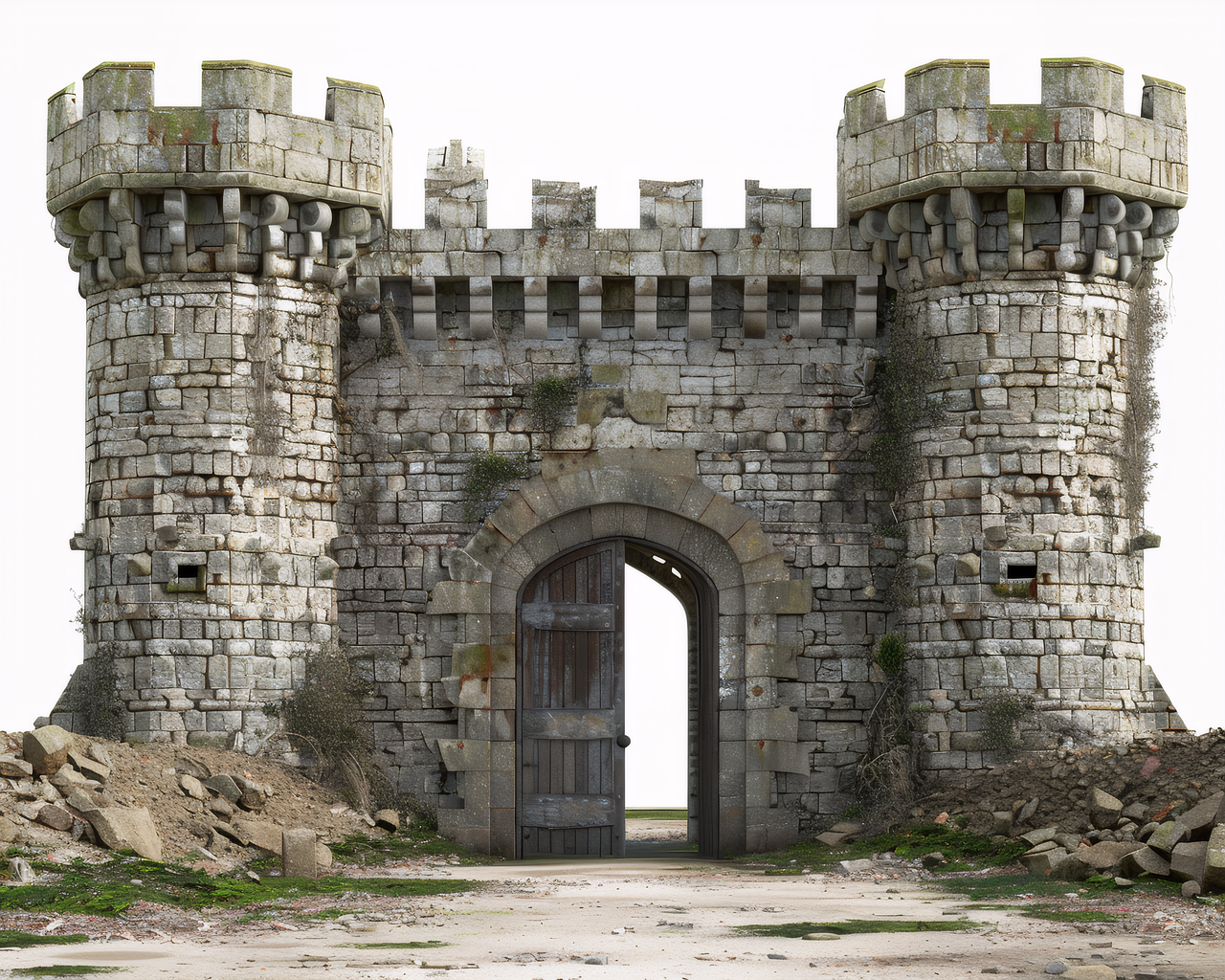
A three-quarter castle render can provide enough silhouette and depth cues for Image3D to generate a rotatable concept mesh. The result is useful for checking overall mass, towers, roof rhythm, and decorative direction. It can still miss stairs, wall thickness, window depth, railings, or the complete rear structure.
The practical decision is simple: if the side and back are coherent enough, export GLB, inspect or convert it in Blender, and use the cleaned mesh as a tracing or reference layer. If the silhouette collapses or contains disconnected surfaces, change the source image or rebuild the geometry instead of buying more detail.
This is a concept workflow, not a claim of architectural accuracy, native SKP output, or physical-print validation.
Five checks before you pay
- Confirm the destination format. The current SketchUp built-in list documents STL and several CAD/model formats, but not GLB. Do not promise one-click GLB import without checking the exact app or extension.
- Keep one source copy. Save the original image and first generated mesh before cleanup; a second generation may change the silhouette, materials, or missing parts.
- Inspect three views. Rotate through the front, side, and back. A single image cannot reveal every depth, connection, thickness, or backside.
- Choose conversion deliberately. Use STL for the documented built-in route when it is enough. Use Blender for GLB/OBJ cleanup, scale from a known reference, and export a format your SketchUp workflow accepts.
- Separate concept from measured work. A useful silhouette is not a measured model. Keep structural, architectural, parametric, and construction decisions in SketchUp or CAD.
When to skip Image3D for SketchUp
Skip this workflow when you need measured walls, exact stairs, structural relationships, parametric components, a native `.skp` delivery, or guaranteed hidden geometry. For those jobs, use the image as a reference and rebuild the model manually in SketchUp or another CAD/BIM tool.
Download and paid-path boundary
Image3D's useful paid moment is a downloadable result, not a promise that payment converts an image into exact SketchUp geometry. Before checkout, the page should state that the result is a mesh, not native SKP; GLB and OBJ may need Blender or an extension; STL is the safer built-in route when supported; and payment unlocks the applicable generation/download entitlement, not CAD accuracy.
Generate and inspect the mesh first. Only keep a higher-quality run when the silhouette survives rotation and the intended handoff is already understood.
Frequently asked questions
Can Image3D convert an image directly to SKP?
No. Image3D exports mesh formats such as GLB, OBJ, STL, and PLY; it does not create a native `.skp`. Use STL through a supported built-in route or use Blender for GLB/OBJ cleanup and conversion.
Which file format is best for SketchUp?
STL is the safer documented built-in route when your SketchUp version supports it. Use GLB or OBJ when you have a tested extension or plan to clean and convert the mesh in Blender first.
Is image-to-3D accurate enough for architecture?
It can help with visual concepts and rough references. It is not reliable for measured walls, structural details, hidden geometry, or construction documents.
Should I buy a higher-quality generation for SketchUp?
Only after Standard produces a shape worth keeping. Higher quality can improve visible surface detail, but it cannot infer missing measurements or create native SketchUp components.
Why are parts of the building missing?
A single image does not reveal every depth, connection, thickness, or backside. The model may prioritize the visible silhouette while missing stairs, walls, openings, or railings.
Can I use Blender before SketchUp?
Yes. Blender is useful for decimation, loose-part cleanup, normals, separation, scale, and converting GLB or OBJ into a format your SketchUp workflow accepts.
Can I 3D print the result?
Possibly, but this SketchUp workflow is not a printability check. Use the Image-to-STL route and inspect manifoldness, wall thickness, scale, supports, and slicer warnings separately.
Official references
- SketchUp: Importing Models, Components, and Images — built-in import formats and component behavior.
- Blender Manual: glTF 2.0 — GLB/GLTF import and mesh/material handoff.