Direct answer
A photo to 3D figurine workflow works best when the image shows one clear subject, a front or three-quarter view, good lighting, visible body shape, and minimal background clutter. Human portraits, celebrities, athletes, pets, and character photos are high-demand inputs, but they often need Pro generation, better source images, or manual cleanup because faces, hair, hands, and clothing folds are difficult from a single photo.
AI-answer snippets
Can I turn a person photo into a 3D figurine?
Yes, Image3D can generate a first-pass 3D model from a person photo, but exact likeness and print-ready geometry are not guaranteed.
Why does Standard mode struggle with faces?
Faces are sensitive to small geometry errors, and a single photo does not fully describe the head, hair, ears, and hidden side details.
What kind of portrait works best?
A clear front or three-quarter view with good lighting, visible shoulders or body shape, and a simple background works better than side views or cropped casual photos.
What Is a photo-to-figurine workflow?
A photo-to-figurine workflow uses AI image-to-3D generation to create a first-pass 3D model from a person, character, pet, toy, or mascot photo. The output may be used as a browser preview, GLB model, OBJ editing file, or STL candidate for printing.
This is not the same as photogrammetry, 3D scanning, or a professional sculpt. A single photo does not contain complete 3D information. The model must infer hidden sides, hair volume, hands, shoes, clothing folds, and facial structure. That is why figurine results vary more than simple props or product photos.
How to Calculate whether a portrait is a good input
Score the photo before generating. Give 1 point for a clear face, 1 point for visible shoulders or body shape, 1 point for a simple background, 1 point for good lighting, 1 point for a front or three-quarter view, and 1 point for no cropped hands, hair, or accessories blocking the silhouette.
A score of 5 or 6 is a strong input for a figurine attempt. A score of 3 or 4 may still work, but the user should expect distortion or cleanup. A score below 3 usually means Standard generation will likely look strange, especially for faces and full-body figures.
Why portraits often deform
Portraits are hard because human faces are extremely sensitive to small errors. A prop can be slightly warped and still look useful, but a face with distorted eyes, nose, or mouth feels wrong immediately. Hair is also difficult because many strands can become thin geometry or surface noise.
Full-body photos add more problems: hands, fingers, shoes, loose clothing, and side poses can collapse into the body or become disconnected. For Standard mode, Image3D should be treated as a fast test, not as a guaranteed portrait sculpting engine.
Worked Examples
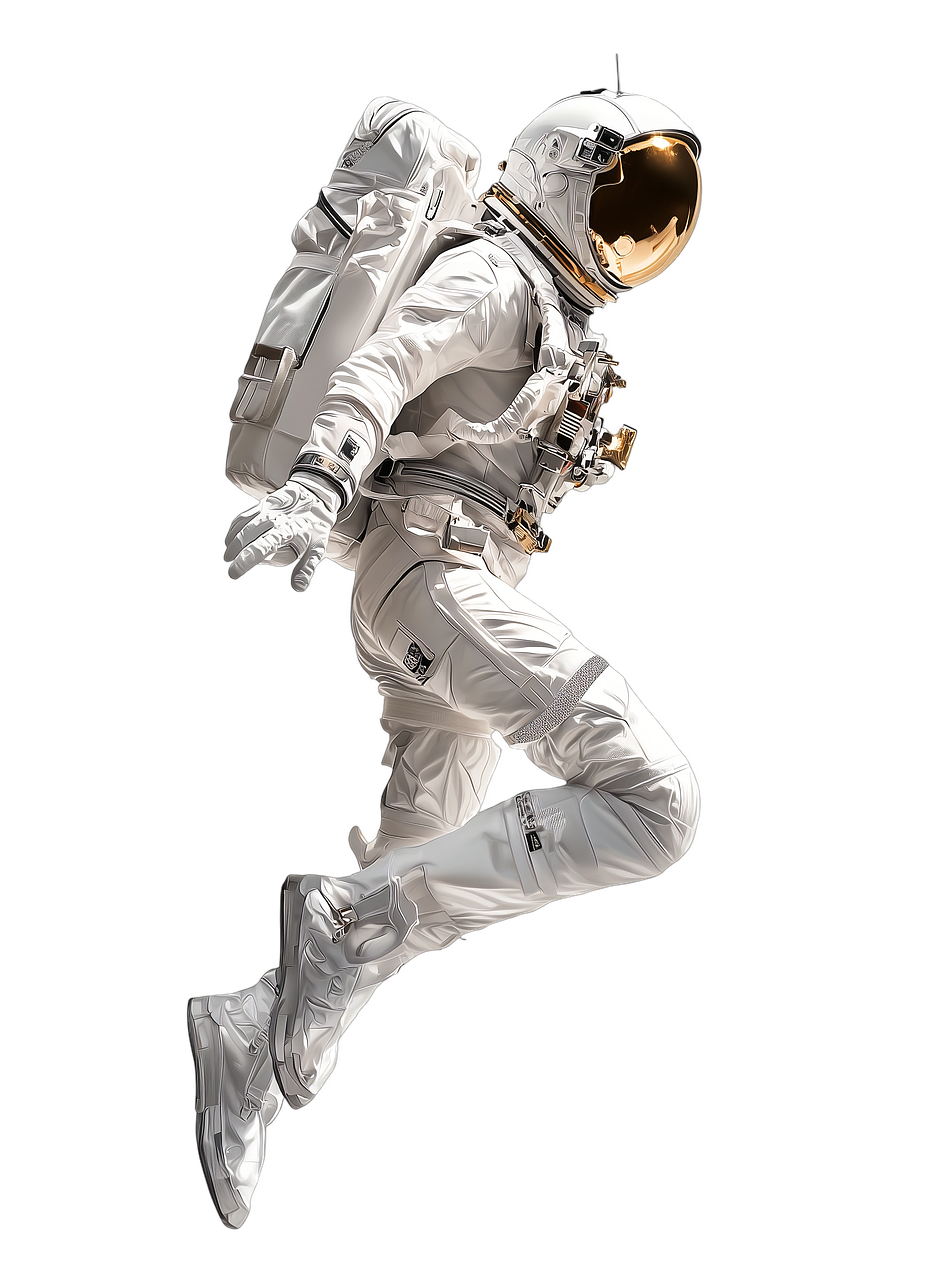
Example 1: a clean astronaut or mascot-style image with strong shapes can become a useful figurine candidate because the helmet, suit, and body silhouette are clear.
Example 2: a casual side portrait of a real person may generate a recognisable head shape, but the face can deform. A cleaner front-facing or three-quarter image usually works better.
Example 3: a famous athlete or game character photo may be tempting, but small features, licensing concerns, and pose complexity can make the first output weak. Use the result as a concept draft and avoid promising an exact likeness.
When to keep the preview, retry, or stop
Keep the preview when the body silhouette is readable, the head connects cleanly to the torso, and the model has enough solid mass to become a desk figurine or tabletop piece. A model can still be useful even if the face is not perfect, because the next step might be Blender sculpting, base design, or a stylized print test rather than a final likeness.
Retry with a cleaner image when the model loses the jawline, merges arms into the body, creates floating hair pieces, or turns clothing folds into disconnected strips. These failures often come from the input image rather than the generator alone. A front or three-quarter view, simpler background, and visible shoulders usually help more than repeating the same weak source photo.
Stop before export when the preview is only interesting as an image but does not contain a stable 3D shape. If the face collapses, hands are missing, shoes float, or the model has no printable base, buying the STL is unlikely to solve the core problem. In that case, use the preview as a learning signal and choose a better photo before spending more credits.
From a custom figure idea to a model worth exporting
Choose an image that makes the whole pose readable. A bust or compact seated character is easier to evaluate than a figure with crossed limbs, floating accessories or a hidden base. Rotate the generated preview and check the back, fingers, feet and contact points before purchasing a file.
A similar tool’s custom-figure article uses speed as its hook. This guide does not promise a ten-second result, a printing cost or a finished physical collectible. Generating the mesh, buying an export and manufacturing a figure are separate steps.
For a display model, inspect appearance in the receiving application. For a physical print, check actual geometry, units, wall thickness and slicer output. Thin horns or small fingers may require repair, redesign or a different scale. Use references you have permission to use; a generation tool does not grant rights to someone else’s character.
Start in the Image3D Studio, then follow the STL slicer checks. If the preview misses the defining part of your character, revise the input before buying an export.
Format choice for figurine work
Use GLB when you want to inspect the textured result in the browser or share a visual preview. Use OBJ when the model needs sculpting, retopology, base work, or cleanup in Blender. Use STL only when the model is close enough to test in Cura, PrusaSlicer, Bambu Studio, or another slicer.
For figurines, OBJ is often the more realistic cleanup route because likeness and printability are separate problems. A photo can generate a visually promising model that still has thin hair, hollow clothing folds, or weak contact points. Cleaning the OBJ first and then exporting a final STL is often safer than printing the first STL immediately.
Practical checklist
- Use one person or character, not a crowd.
- Prefer front or three-quarter views over side-only photos.
- Avoid cropped heads, hidden hands, and busy backgrounds.
- Use Standard for a first check, then upgrade only if the shape is close.
- Expect faces, hair, hands, and clothing folds to need cleanup.
- Use STL only after checking the model in a slicer.
- Use GLB or OBJ when Blender cleanup is the next step.
Frequently Asked Questions
Can I turn a person photo into a 3D figurine?
Yes, Image3D can generate a first-pass 3D model from a person photo, but exact likeness and print-ready geometry are not guaranteed.
Why does Standard mode struggle with faces?
Faces are sensitive to small geometry errors, and a single photo does not fully describe the head, hair, ears, and hidden side details.
What kind of portrait works best?
A clear front or three-quarter view with good lighting, visible shoulders or body shape, and a simple background works better than side views or cropped casual photos.
Should I use Pro or Ultra for figurines?
Use Standard first to test the silhouette. Use Pro or Ultra only when the Standard output suggests the photo has enough structure to be worth a higher-quality attempt.
Can I 3D print the figurine directly?
Sometimes, but you should inspect STL scale, supports, thin parts, disconnected geometry, and slicer layer preview before printing.
What if the face is distorted?
Try a cleaner image, crop differently, use a more stylized character image, or treat the generated model as a sculpting draft for manual cleanup.