Ecommerce 3D comparison

Best AI 3D Model Generators for Ecommerce Product Displays

Compare AI 3D tools by the ecommerce job they actually solve: product-photo generation, GLB export, web preview, store embed, or production cleanup.

Direct answer: The best AI 3D model generator for ecommerce is the one that turns a product photo into a model buyers can inspect without creating a misleading product page. Use Image3D for fast product-photo-to-GLB previews, Meshy or Tripo for broader AI 3D creation, Kaedim for studio production, and Spline or model-viewer when the model is ready to embed.

7tool categories compared
GLBprimary ecommerce display format
2026last reviewed on June 26
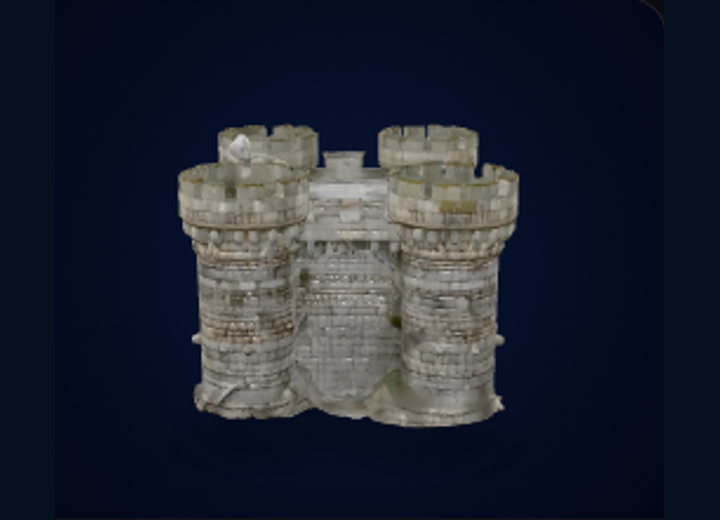
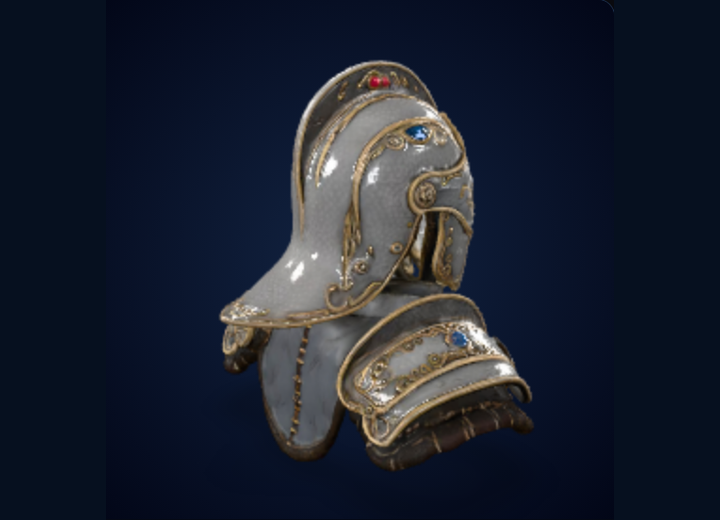
Product photo to store-ready review GLB preview workflow
Reference product image before AI 3D generation
Input photoclean subject
Second generated ecommerce 3D model preview
Alt outputcompare quality
Third generated ecommerce 3D model preview
Store testGLB fallback

A useful ecommerce 3D asset should show the product, preserve buyer-visible details, export as GLB, and keep normal product photos as fallback.

Quick Shortlist

Use this first. The right tool depends on whether you need generation, cleanup, embedding, or production support.

Best fitToolWhy it fits ecommerce product displaysWatch out for
Fast product-photo to 3D showcaseImage3DBrowser workflow for image or text to 3D, preview, and export paths such as GLB, OBJ, STL, and PLY.Still needs review for product accuracy, scale, and store-page suitability.
General AI 3D asset generationMeshyOfficial site presents text and image to 3D generation, product design use cases, and API support.Broad creative tools may need cleanup and ecommerce-specific display checks.
API and multi-view generation workflowsTripoOfficial API page describes image-to-model, text-to-model, multi-image to 3D, animation, and post-processing options.API output still needs policy, brand, product accuracy, and embed QA.
Studio or brand productionKaedimOfficial positioning focuses on high-quality 3D production at scale for teams, brands, and studios.May be more process-heavy than a self-serve seller needs for quick tests.
Programmatic 3D asset pipelineHyper3D RodinOfficial site emphasizes API, plugins, text-to-3D, image-to-3D, and common 3D format retrieval.Best for teams that can manage API integration and downstream QA.
Interactive web scenes after a model existsSplineOfficial site describes browser-based collaborative 3D design and production-ready interactive experiences.Not the same job as product-photo-to-GLB generation; use it for presentation and interaction layers.
All-in-one AI 3D toolkit3D AI StudioOfficial site positions the product as a text-or-image to 3D asset toolkit with generation, previews, and creative workflows.Validate output quality, rights, export format, and ecommerce fit before publishing.

Comparison Matrix

For ecommerce, the question is not only "Can it generate a model?" It is "Can the model become a trustworthy product display?"

CriterionWhat to checkGood signRisk sign
Input fitProduct photo, concept image, prompt, or multi-view references.One clear object, visible silhouette, minimal reflection, enough side detail.Cropped photos, transparent products, hands, lifestyle clutter, hidden backs.
Display formatGLB for web previews; USDZ may be needed for iOS AR; OBJ for cleanup; STL for print.Exported GLB loads in a browser viewer and preserves useful surface appearance.Only STL output for an ecommerce page, or a GLB that breaks on mobile.
AccuracyCompare the generated model against the real product.Shape, scale impression, and buyer-visible details are close enough for preview.Invented features, misleading proportions, missing key product surfaces.
Embed pathShopify product media, custom model-viewer embed, or a hosted 3D viewer.Normal product photos remain visible and 3D is an enhancement.3D replaces the core product image before QA is complete.
Commercial controlRights, source-image ownership, paid usage terms, API cost, and review workflow.Team can trace source images, generation settings, exports, and approvals.Unknown source rights or automated publishing without product review.

Tool-by-Tool Review

These notes focus on ecommerce product display workflows, not every possible 3D use case.

Image3D

Image3D fits sellers who want to turn a product photo, logo, concept image, or prompt into a first 3D asset without installing Blender first. The practical ecommerce path is product photo → browser preview → GLB export → store or viewer test.

Choose it when speed and a visible preview matter. Skip it for exact CAD reconstruction, mechanical dimensions, or final product representation without manual review.

Meshy

Meshy is a broad AI 3D generator with official text-to-3D, image-to-3D, product design, and API positioning. It can be useful when ecommerce work overlaps with game assets, creative concepting, or a larger asset library.

For stores, the main check is whether the generated model accurately represents the specific product rather than only looking visually impressive.

Tripo

Tripo is relevant for teams that need API-driven 3D generation and post-processing. Its official API page describes image-to-model, text-to-model, multi-image to 3D, and conversion workflows.

For ecommerce, Tripo is more attractive when a developer is building a repeated pipeline instead of manually testing one or two product photos.

Kaedim

Kaedim positions itself around high-quality 3D production for teams and brands. That makes it more relevant for larger catalog, game, brand, or agency workflows than for a small seller doing one quick GLB test.

Choose it when production process matters more than instant self-serve experimentation.

Hyper3D Rodin

Hyper3D Rodin is relevant when the product team wants a programmatic asset pipeline. Its official site emphasizes API and plugin workflows for text-to-3D and image-to-3D, plus retrieval of common 3D formats.

It is a better fit when engineering integration and automated task handling are already part of the plan.

Spline and model-viewer

Spline and model-viewer are display-layer tools. Spline helps create collaborative interactive 3D web experiences. model-viewer is a web component for interactive 3D and AR-style viewing.

Use them after generation, cleanup, or approval. They do not remove the need to create a faithful product model first.

How to Choose an AI 3D Generator for Ecommerce

Start from the product-page job, not the model-generation demo. A Shopify or independent-store buyer needs a clear product representation, fast loading, and normal photos as a fallback. A beautiful AI model that invents product details can reduce trust instead of improving conversion.

1. Decide whether the goal is preview, print, or editing

If the goal is an interactive product page, prioritize GLB and web preview. If the goal is cleanup, export OBJ and open the result in Blender. If the goal is a physical print, use STL and inspect the result in a slicer. Mixing these formats is how ecommerce pages end up with assets that look technical but do not solve the buyer's task.

2. Use AI for first drafts, not unchecked product truth

A single image can generate a useful first 3D draft, especially for simple objects with clear silhouettes. It can also invent the back side, soften edges, miss transparent parts, or distort branded details. The review step is not optional for ecommerce because the model influences buying confidence.

3. Keep the embed layer separate from generation

Shopify's own product media documentation describes 3D models as product media that help customers understand size, scale, and detail. The generation tool creates the asset; the embed layer presents it. Keep those decisions separate so a generation failure does not become a store-page failure.

Rule of thumb: use AI generation to test whether a product can become a useful 3D display, then use GLB review, normal product photos, and a viewer fallback before publishing the model.


Worked Ecommerce Examples

These examples show where Image3D should appear naturally in the workflow without forcing the product into unrelated searches.

Small Shopify seller

Upload one clean product photo to Image3D, generate a GLB candidate, rotate it in the browser, then compare it with the original product photos. If the asset helps the buyer understand shape or detail, test it on a product page while keeping normal images visible.

Read the Shopify 3D model workflow

Etsy or handmade product seller

Use AI generation for custom objects, packaging mockups, charms, props, and display pieces that do not already exist as a standard model. Avoid using AI output for exact product dimensions or regulated claims.

Open product photo to 3D

Developer building a 3D preview feature

Use an API-capable workflow only after pricing, task logs, refunds, precharges, and output review are clear. Each task should have an input, output, status, final charge, and failure reason that a customer can inspect.

Review Image3D API docs

Official Sources Checked

This page was built from official product pages and platform documentation where possible. Important references include Shopify product media guidance, Shopify partner guidance for GLB delivery, model-viewer documentation, and official pages for Meshy, Tripo, Kaedim, Hyper3D Rodin, Spline, and 3D AI Studio.

Frequently Asked Questions

Short answers for AI search, store owners, and developers comparing product-display workflows.

What is the best AI 3D model generator for ecommerce product displays?

The best choice depends on the job. Image3D fits sellers who want a fast product-photo-to-3D showcase and GLB preview path. Meshy and Tripo fit broader AI 3D generation. Kaedim fits studio production. Spline fits interactive web scenes after a model already exists.

Can AI-generated 3D models be used on Shopify product pages?

Yes, but the generated file should be reviewed first. Shopify product media supports 3D models such as GLB and USDZ, but store-ready quality still depends on accurate shape, scale, file size, materials, and whether the model helps the buying decision.

Should ecommerce teams export GLB, OBJ, or STL?

Use GLB for web product previews and store testing, OBJ for Blender cleanup, and STL for 3D printing or slicer checks. Ecommerce display workflows usually start with GLB rather than STL.

Is one product photo enough for a good ecommerce 3D model?

A single clean photo can create a useful first draft, but multiple views, clear edges, and simple products usually produce better results. Complex, reflective, transparent, or hidden-back products need extra review.

When should a seller skip AI 3D generation?

Skip AI generation when the product requires exact measurements, regulatory accuracy, mechanical fit, CAD-grade reconstruction, or a final representation that could mislead buyers if details are invented.

How should developers embed generated product models?

Use a browser viewer such as model-viewer or a platform-specific product media workflow. Host the model, keep normal product photos visible, test desktop and mobile behavior, and use fallbacks if the 3D asset fails to load.

Turn a product photo into a 3D showcase.

Start with a clean product image, generate a model in Image3D, export GLB, then inspect the result before embedding it into a store or viewer.

Open Image3D Studio