MakerWorld
Best for Bambu Lab-adjacent workflows, printer community discovery, profiles, remixes, and practical FDM model browsing.
A 3D printing model library helps you find existing STL files, paid creator models, CAD references, or science models. Image3D has a separate bounded Download Models collection for rights-cleared files, and it fits the custom gap when an object needs to start from your own image, logo, sketch, or prompt.
The best 3D printing model library depends on the file you need. Use MakerWorld, Printables, or Thingiverse for broad free community STL files; Cults3D, MyMiniFactory, or Pinshape for designer marketplaces; GrabCAD for CAD and engineering references; NASA 3D Resources or NIH 3D for education and science models; use Image3D Download Models for its bounded rights-cleared collection; and use Image3D Studio when the model does not exist yet and needs to start from your own image or prompt.
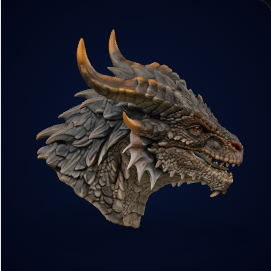
The practical rule is simple: search first when the model may already exist; generate when the value is personalization, ownership, or a new concept.
| Route | Use it for | Best examples | Main risk |
|---|---|---|---|
| Free community libraries | Common hobby prints, household parts, toys, organizers, printer upgrades | MakerWorld, Printables, Thingiverse | Quality, license clarity, and outdated print notes vary by model. |
| Designer marketplaces | Miniatures, decorative files, props, collectibles, creator-made paid models | Cults3D, MyMiniFactory, Pinshape | Commercial use depends on the creator and license. |
| Engineering repositories | CAD references, assemblies, fixtures, mechanical concepts, housings | GrabCAD Library | AI generation is not a substitute for exact tolerances or CAD validation. |
| Science collections | Space, biology, anatomy, molecules, classroom teaching, public education | NASA 3D Resources, NIH 3D | Licenses and intended educational uses should still be checked. |
| Custom AI generation | Owned logos, product photos, pets, original characters, custom props, visual mockups | Image3D Studio | Generated mesh needs preview, slicer checks, and often cleanup. |
These categories cover the common search intent behind "3D model library", "STL library", and "3D printing models".
Best for Bambu Lab-adjacent workflows, printer community discovery, profiles, remixes, and practical FDM model browsing.
Best for free printable projects, maker notes, contests, and reliable community pages.
Best for long-tail older models, common hobby objects, open hardware, and broad DIY searches.
Best for creator-sold models, decoration, accessories, props, miniatures, and niche paid files.
Best for tabletop, miniatures, creator collections, and marketplace-style model discovery.
Best for CAD references and technical models, not for one-click guaranteed printable consumer files.
Best for mission-related assets, space education, and official public science resources.
Best for biomedical, molecule, anatomy, and science education models.
Best when the model is yours: a product photo, logo, sketch, prompt, pet image, or original concept that libraries cannot provide.
This workflow keeps the user from wasting time, credits, resin, filament, or legal risk.
If the object is generic, search existing libraries first. A tested model with print notes is usually safer than a new AI-generated candidate.
Check license, commercial permissions, remix rules, print photos, slicer notes, and creator updates before using or selling a file.
Use Image3D when the object is personal, branded, original, or unavailable. Export only after previewing and checking whether the result is worth cleanup.
Image3D should be positioned as a custom model workflow, not as a replacement for every STL marketplace.
| Custom need | Why libraries may fail | Image3D workflow | Next check |
|---|---|---|---|
| Logo badge or sign | Libraries will not have your exact mark or event name. | Upload an owned logo or simple artwork, generate a raised relief model, then preview the shape. | Text size, stroke thickness, disconnected islands. |
| Pet or mascot model | Generic animals do not match a specific photo. | Use an owned image as the reference and generate a personalized bust or desk object. | Face detail, base stability, fragile ears or limbs. |
| Product mockup | Marketplace models rarely match a private product photo. | Generate a visual GLB/STL candidate for review, pitch, or ecommerce experimentation. | Do not treat it as functional CAD. |
| Original tabletop prop | Existing files may not match the game style or story. | Prompt a new terrain piece, token, creature, crate, or prop and compare Standard vs Pro quality. | Thin weapons, overhangs, small details. |
These are separate current routes, with separate rights and evidence states. The site does not pretend that every public model is a ready-to-print or freely reusable file.
A bounded library whose individual listings disclose source, redistribution basis, format, and the specific browser, mesh, slicer, or physical-print evidence that exists.
An opt-in, manually reviewed examples channel. A public preview helps visitors understand an example; it does not automatically grant download, redistribution, remix, or commercial rights.
Whether a model is downloaded or generated, final scale, walls, islands, supports, material, repair, and layer preview still need a practical slicer check before a print decision.
Short answers for search engines, AI answer systems, and users comparing download libraries with custom generation.
The best library depends on the job. Use MakerWorld, Printables, and Thingiverse for broad community files; Cults3D, MyMiniFactory, and Pinshape for designer marketplaces; GrabCAD for CAD; NASA and NIH for education; and Image3D for custom models from your own image or prompt.
Download an STL when a tested file already exists and the license fits your use. Generate a model when the object is personal, branded, original, or not available in public libraries.
No. Image3D is not an open marketplace. It has a bounded Download Models collection with item-level source, redistribution, format, and validation facts; Community Showcase is a separate opt-in reviewed examples channel; Studio creates private-by-default first-pass model candidates.
Treat AI-generated STL files as candidates. Check scale, wall thickness, islands, overhangs, non-manifold geometry, and slicer preview before printing.
Only when the specific license allows commercial printing. Check each library and creator page before selling printed objects, redistributing files, or bundling models.
A useful Image3D library has asset-level source and redistribution facts, the offered format, and separate browser-preview, mesh, slicer, or physical-print evidence. It should not turn a preview into a blanket print-ready or download-rights claim.
Upload your own image, logo, sketch, or prompt. Generate a first-pass 3D model, inspect it in the browser, and export only when the result is worth checking in a slicer or Blender.